
Longevity Rewards The Trust
The Trust's Longevity Rewards Details
Thank you for opting into The Trust’s 2025 Longevity Reward program, via which The Trust has authorized a discretionary reward payment to policyholders who met both of the following eligibility requirements:
- Those who opted in and provided information for electronic receipt of the reward payment.
- Those who have been insured through The Trust Sponsored Professional Liability Insurance Program for five or more consecutive years.
Below are detailed instructions for easily claiming your payment from our secure banking partner, PNC Bank. For your convenience, we have included annotated images of what you can expect to see when you access your unique, secure link via email directly from PNC Bank ([email protected]), which should arrive in your inbox on Thursday, December 11th, 2025.
Please follow the instructions as described below to select your preferred payment method and claim your reward.
Once PNC Bank sends your payment link to your email, you will have 15 days to claim your payment. PNC Bank will send you automated email reminders periodically throughout that period to ensure you do not miss out on your chance to claim your reward.
If you have any questions, please reference our FAQ page. For additional questions, please contact us at [email protected].
General Instructions
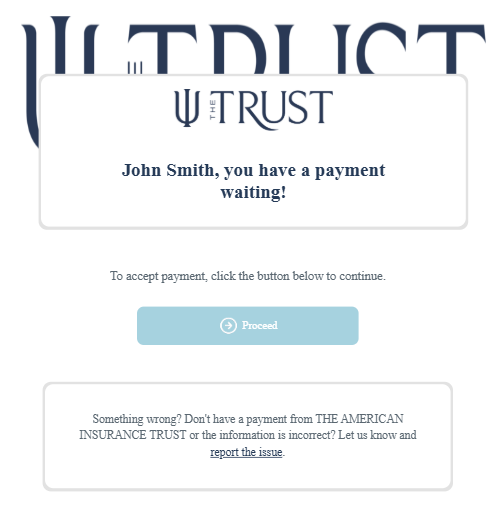
Step 1: Click “Proceed”
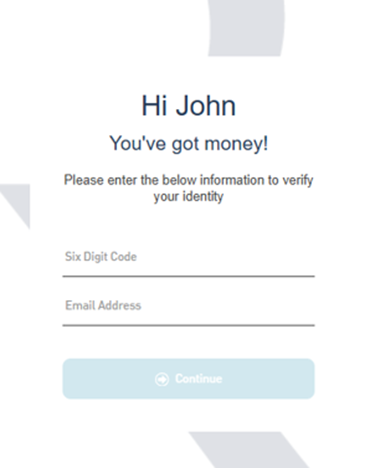
Step 2: Enter the six-digit code you received by email from The Trust ([email protected]) on December 10th, 2025, and enter the email address on file for the Longevity Reward program.
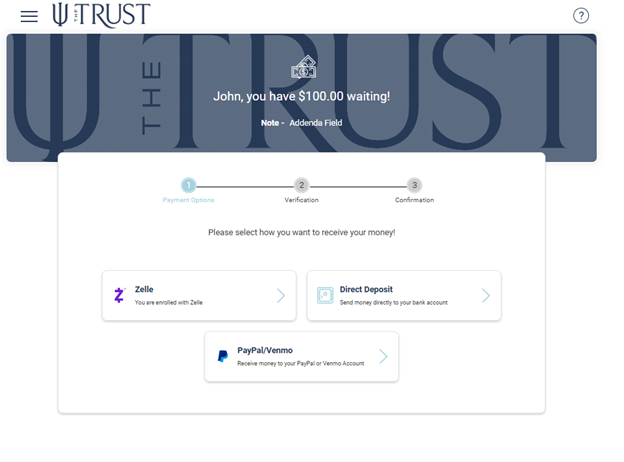
Step 3: Select your preferred payment method (only one option may be selected).
Direct Deposit Instructions
Step 1
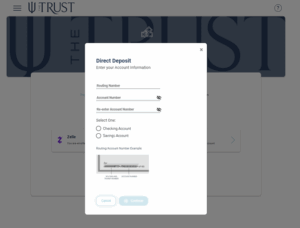
1. Enter your bank routing and account numbers, select your account type, then click “Continue.”
Step 2

2. Review and verify your payment details. You must click the “Payment Terms and Conditions” hyperlink, then click “I agree,” which will check the acknowledgement checkbox for you. Then click “Confirm.”
Step 3
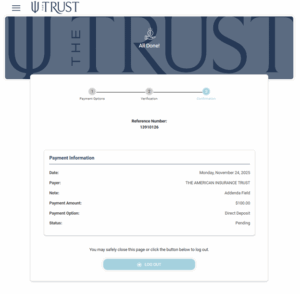
3. A reference number will be provided. Payment should arrive within 1 business day.
Zelle Instructions
IMPORTANT: If you select this method, your Zelle account must be linked to the same email address used for your 2025 Longevity Reward. If you attempt to use a Zelle account that is not linked to the same email address that is linked to your 2025 Longevity Reward, you will be redirected to create a new, separate Zelle account, or you can choose to receive your payment via ACH Direct Deposit.
Step 1
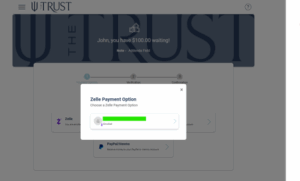
1. Select your email address associated with Zelle.
Step 2
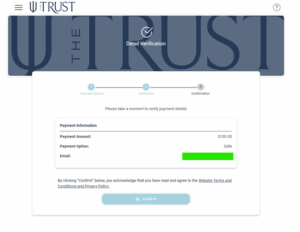
2. Review and verify your payment details, then click “Confirm.”
Step 3
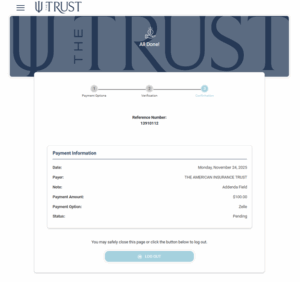
3. A reference number will be provided. Payment should arrive within 5 minutes of submission.
PayPal or Venmo Instructions
IMPORTANT: If your already existing PayPal or Venmo account is not linked to the same email address being used for your 2025 Longevity Reward, we strongly recommend that you instead claim your reward via ACH Direct Deposit.
If you choose to claim your reward using a PayPal or Venmo account that is not already linked to the same email address that is being used for your 2025 Longevity Reward, you will follow the directions below but will also be subsequently contacted via email by PayPal or Venmo to create a new account to complete this transaction. We do not recommend this extra step and suggest using ACH Direct Deposit instead.
Step 1
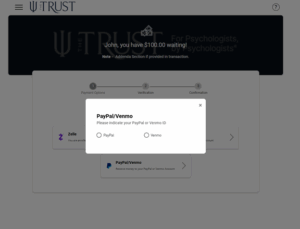
1. Select your preferred payment service and confirm your email address.
Step 2
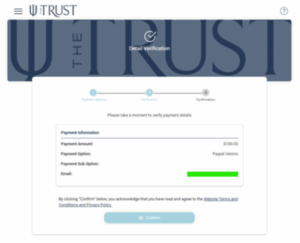
2. Review and verify your payment details, then click “Confirm” for PayPal or Venmo.
Step 3
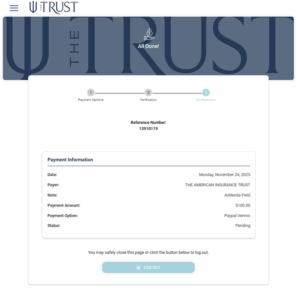
3. A reference number will be provided. Payment should arrive within 1 business day.